Activepieces vs Power Automate for end-to-end workflows
Activepieces and Power Automate solve the same basic problem in almost opposite ways. One is an open-source, developer-friendly automation tool that runs on your own infrastructure if you want it to.
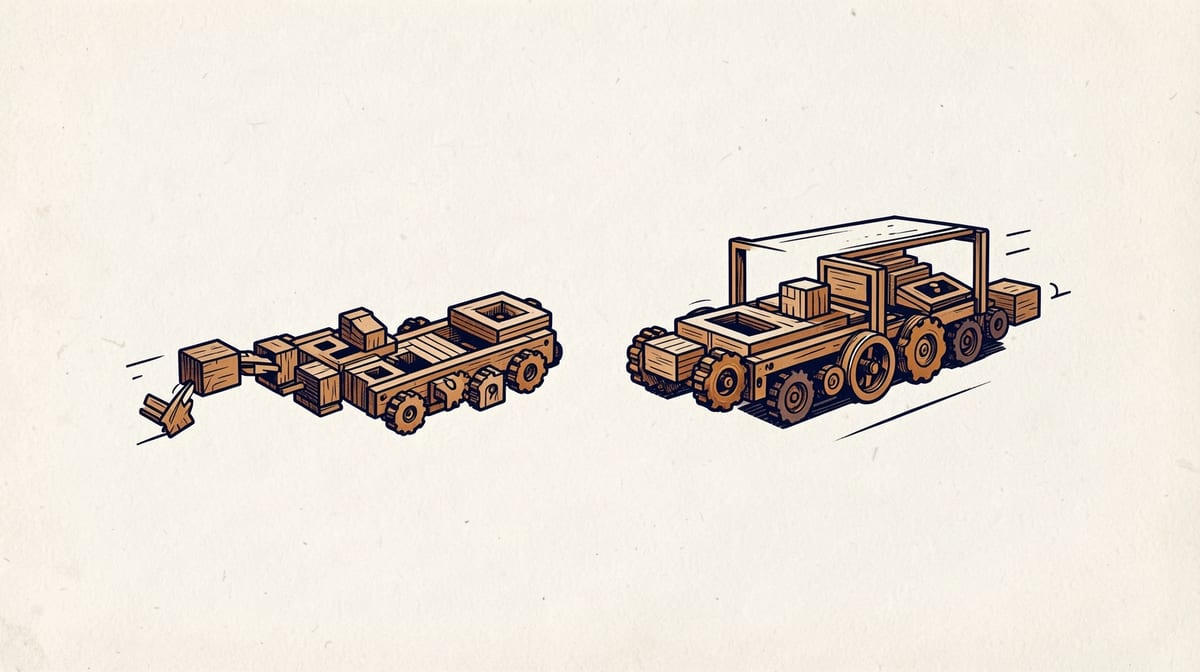
Activepieces and Power Automate solve the same basic problem in almost opposite ways. One is an open-source, developer-friendly automation tool that runs on your own infrastructure if you want it to. The other is Microsoft's cloud-first automation platform, deeply wired into the Microsoft 365 and Dynamics ecosystem.
For anyone building an end-to-end workflow automation platform comparison in 2026, this matchup matters because it represents two different philosophies. Activepieces leans open, extensible, and self-hostable. Power Automate leans managed, integrated, and enterprise-governed. Picking between them is less about which tool is "better" and more about which philosophy fits your organization.
This piece breaks down the real differences: architecture, integrations, pricing, AI capabilities, and where each tool actually wins in practice.
Activepieces vs Power Automate: Core Architecture Differences
Activepieces is built as an open-source automation framework. You can self-host it on your own servers, run it in a container, or use the hosted cloud version. That flexibility is the whole point. Teams with strict data residency rules, or ones that just don't want their workflows living on someone else's cloud, get a real option here.
Power Automate is a Microsoft product through and through. It runs on Microsoft's cloud, ties into Azure, and assumes you're already living inside the Microsoft ecosystem. There's a desktop flow option for robotic process automation, but the core product expects a cloud-first, Microsoft-centric setup.
This architectural split shapes everything else. Self-hosting Activepieces means your IT team owns uptime, patching, and scaling. Choosing Power Automate means Microsoft owns that, but you give up some control over where your data lives and how workflows execute.
When architecture matters most:- Regulated industries with data residency requirements often lean toward self-hosted Activepieces
- Organizations already paying for Microsoft 365 E3 or E5 licenses get Power Automate features bundled in, reducing the case for switching
- Startups without dedicated infrastructure teams may find Power Automate's managed model less risky day to day
Integration Ecosystem: Connector Count and Quality
Integration breadth is often the single biggest factor in a workflow automation software selection decision. If your tools aren't connected, the platform doesn't matter.
Power Automate's biggest strength is native, first-party depth into Microsoft products. SharePoint, Outlook, Teams, Dynamics 365, and Excel all connect with minimal setup and full support from Microsoft's own engineering teams. If your company runs on Microsoft, this is hard to beat.
Activepieces takes an open-source, community-driven approach to connectors, sometimes called "pieces." The library keeps growing, and because it's open source, developers can build and contribute their own pieces rather than waiting on a vendor's roadmap. That's a meaningful advantage for niche or newer SaaS tools that big vendors haven't prioritized yet.
For context on the broader market, according to Cognito Forms, Zapier alone integrates with more than 8,000 web applications, which shows just how important connector breadth has become as a competitive axis for any automation platform, not just these two.
| Factor | Activepieces | Power Automate |
|---|---|---|
| Connector model | Open-source piecescommunity built | Native Microsoft connectorsvendor built |
| Best fit | Non-Microsoft, mixed SaaS stacks | Microsoft 365 or Dynamics-heavy stacks |
| Custom connectors | Developer-friendlyopen framework | Possible, but more restricted tooling |
| Non-Microsoft depth | *Generally stronger for niche SaaS tools | Weaker outside Microsoft's own products |
This table shows why the "right" integration answer depends entirely on what's already in your stack.
Enterprise Requirements: Security, Compliance, and Governance
Enterprise buyers rarely choose automation tools on features alone. They choose based on what compliance and security teams will sign off on.
Power Automate benefits from Microsoft's existing compliance investments. Organizations already trusting Microsoft for identity, data storage, and email tend to extend that trust to Power Automate by default, since it inherits much of the same governance tooling, admin controls, and audit logging used across Microsoft 365.
Activepieces, being open source and self-hostable, offers a different kind of assurance: you can inspect the code, control the infrastructure, and keep data entirely inside your own environment. For some security teams, that's more reassuring than trusting a vendor's compliance certifications. For others, it just means more work, since you're now responsible for patching, monitoring, and securing that infrastructure yourself.
Neither approach is automatically safer. It depends on whether your organization already has the internal capacity to manage self-hosted infrastructure responsibly, or whether you'd rather offload that to a vendor with existing enterprise contracts.
Pricing Models and Total Cost of Ownership
Sticker price rarely tells the full story with workflow automation, and this comparison is no exception.
Power Automate pricing generally follows per-user or per-flow licensing, and it often gets bundled into existing Microsoft 365 enterprise agreements. That bundling can make it look nearly free for organizations already paying for Microsoft licenses, but standalone pricing adds up quickly for teams that need premium connectors or advanced flow types.
Activepieces, as an open-source project, can be run for free if you self-host it and have the technical staff to maintain it. The hosted cloud version carries its own subscription pricing, which competes more directly with typical no-code automation pricing tiers.
The real total cost of ownership question isn't just license fees. It's the hidden costs:
- Infrastructure and maintenance for self-hosted Activepieces deployments, including server costs and patching time
- Premium connector fees in Power Automate, which can trigger per-flow or per-connector charges beyond a base plan
- Developer time spent building custom connectors on either platform when an off-the-shelf integration doesn't exist
- Training costs for non-technical staff, which tend to run higher for platforms with steeper learning curves
Organizations scaling from a handful of workflows to hundreds should model these costs before committing, not after.
AI Agent Orchestration Capabilities in 2026
AI agent features have moved from novelty to baseline expectation across the automation market. According to Gartner Peer Insights, multiple workflow automation platforms now treat AI agent orchestration as core functionality rather than a differentiator, and both Activepieces and Power Automate reflect that shift.
Power Automate has leaned into Microsoft's broader Copilot strategy, embedding AI-assisted flow building and natural language prompts to help non-technical users generate automations faster. This fits Microsoft's pattern of pushing AI features across its entire product suite at once.
Activepieces, with its open architecture, allows more flexibility in how AI models get plugged into a workflow, since it isn't tied to one vendor's AI stack. Teams that want to swap in different language models or build custom AI logic into a flow have more room to do that in an open-source tool than in a tightly integrated commercial one.
This mirrors a broader trend: according to AYAutomate, platforms like n8n specifically target technical teams wanting self-hosted automation with built-in AI agent capabilities, a positioning that overlaps closely with where Activepieces sits in the market.
Error Handling and Workflow Reliability
Reliability rarely gets discussed until a workflow silently fails at 2 a.m. and nobody notices for three days. This is one of the least documented but most important comparison points between these two platforms.
Power Automate benefits from Microsoft's cloud infrastructure and built-in retry logic for many connectors, along with monitoring dashboards inside the Power Platform admin center. Failures tend to surface through familiar Microsoft tooling, which shortens the learning curve for IT teams already comfortable with that ecosystem.
Activepieces, particularly when self-hosted, puts more of the reliability burden on the team running it. Webhook handling, retry logic, and error alerting depend heavily on how the deployment is configured. That's a tradeoff: more control, but also more responsibility.
For mission-critical workflows, teams should test failure scenarios directly rather than trusting marketing claims from either vendor. A simple test:
1. Trigger the workflow with a deliberately malformed payload
2. Kill the network connection mid-execution
3. Check whether the platform retries, logs the failure, or silently drops the run
4. Confirm whether an alert reaches a human within an acceptable time window
Running this kind of test on both platforms before a full rollout will reveal more than any spec sheet.
User Experience: Learning Curve by Role
Non-technical users and developers experience these two platforms very differently, and that split matters a lot for business process automation small business decisions.
Non-technical users generally find Power Automate's visual designer familiar if they've used other Microsoft products. The interface follows patterns similar to Excel formulas and Outlook rules, which shortens onboarding for staff already comfortable in that world. Technical users often prefer Activepieces because of its openness. Developers can drop into code steps, build custom pieces, and control exactly how data moves through a flow, without waiting on a vendor to expose a new API endpoint through a connector.A rough breakdown:
- Marketing and operations staff with no coding background: Power Automate tends to feel more approachable out of the box
- Internal developers or IT teams comfortable with Git and APIs: Activepieces offers more direct control
- Mixed teams: expect a split experience, where some flows get built visually and others need developer intervention on either platform
Scalability and Migration Considerations
Scalability questions come up most when a company moves from a handful of automations to hundreds running daily across departments.
Power Automate scales within Microsoft's cloud infrastructure, which generally means predictable performance as long as you're within Microsoft's connector limits and licensing tiers. Heavy use of premium connectors or high-volume flows can trigger licensing conversations sooner than expected.
Activepieces scalability, when self-hosted, depends on the infrastructure behind it. A well-resourced deployment can scale significantly, but that scaling is your team's responsibility, not a vendor's. The hosted cloud version shifts more of that burden back to Activepieces itself.
Migration between any two automation platforms carries real switching costs: rebuilding flows, retraining staff, and validating that every edge case behaves the same way in the new tool. Nobody covers this well in vendor marketing, so plan for a parallel-run period where both old and new workflows operate simultaneously before fully cutting over.
Real-World Use Cases: When to Choose Each
Choose Activepieces when:- Your stack is mostly non-Microsoft SaaS tools without strong native Power Automate connectors
- You have engineering resources to self-host and maintain infrastructure
- Data residency or code transparency requirements push you toward open source
- You want flexibility to plug in different AI models over time
- Your organization already runs on Microsoft 365 or Dynamics 365
- Non-technical staff need to build and maintain their own flows without developer help
- You want a managed cloud product backed by Microsoft's compliance certifications
- Bundled licensing makes the tool nearly free within an existing enterprise agreement
Most companies land somewhere in between, running both tools for different teams rather than standardizing on one. That's not a failure of decision-making. It's a realistic reflection of how mixed most tech stacks actually are.
FAQ
Q: Is Activepieces free to use?A: The self-hosted, open-source version can be run at no license cost, though you cover your own infrastructure and maintenance. The hosted cloud version carries its own subscription pricing similar to other no-code automation tools.
Q: Does Power Automate work without a Microsoft 365 subscription?A: Yes, Power Automate can be purchased as a standalone product, but pricing and connector access are generally more favorable when bundled into an existing Microsoft 365 or Dynamics 365 license.
Q: Which platform is better for AI agent workflows in 2026?A: Both treat AI agent orchestration as core functionality now, reflecting a broader industry shift noted by Gartner Peer Insights. Power Automate integrates tightly with Microsoft's Copilot ecosystem, while Activepieces offers more flexibility to plug in different AI models due to its open architecture.
Q: Can non-technical staff build complex workflows in either tool?A: Yes, both offer visual builders, but Power Automate's interface tends to feel more familiar to users already comfortable with Microsoft products, while Activepieces may require more developer support for advanced logic.
Key Takeaways
- Architecture drives everything: Activepieces offers open-source flexibility and self-hosting, while Power Automate offers a managed, Microsoft-native experience.
- Integration depth favors whichever ecosystem you're already in. Microsoft shops lean Power Automate; mixed SaaS stacks often lean Activepieces.
- Total cost of ownership includes hidden factors like infrastructure, premium connectors, and training, not just base license fees.
- Test error handling and webhook reliability directly before trusting either platform with mission-critical workflows.
- Many organizations run both tools simultaneously rather than forcing a single standardized choice across every team.
Sources
Researched from the following. Figures and claims were current when this piece was written and may have moved since.
- Cognito Formscognitoforms.com
- ONES.comones.com
- AYAutomateayautomate.com
- Invensis Learninginvensislearning.com
- Gartner Peer Insightsgartner.com
- The Digital Project Managerthedigitalprojectmanager.com
Comments