Measuring Terminal Tool ROI Beyond the Setup High
You've spent twelve hours perfecting your terminal setup. Starship prompts show git status instantly. Warp's AI suggestions feel magical. Your zsh plugins autocomplete everything. Yet somehow, three w
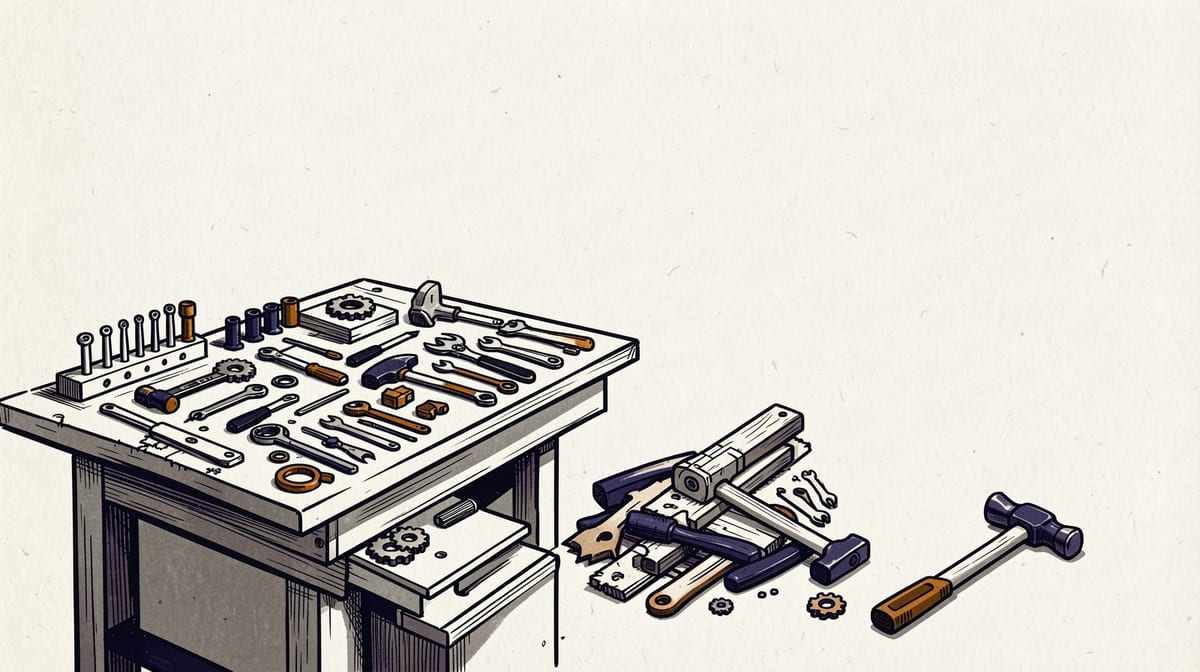
You've spent twelve hours perfecting your terminal setup. Starship prompts show git status instantly. Warp's AI suggestions feel magical. Your zsh plugins autocomplete everything. Yet somehow, three weeks later, you're not shipping code faster than before.
Welcome to the terminal productivity plateau, where the dopamine hit of a beautiful shell configuration masks a harsh reality: most terminal tool customizations stop providing measurable returns within two weeks. The real question isn't whether your setup looks impressive, but whether you can prove it's worth the ongoing maintenance cost. This article will show you how to measure terminal productivity tools ROI measurement properly and escape the configuration debt trap that's quietly eating your actual productivity.
The Configuration Debt Crisis Hidden in Plain Sight
Every terminal productivity tool creates two types of costs: the obvious upfront investment and the invisible ongoing maintenance burden. While you're tracking the hours spent configuring Starship modules or setting up Warp workflows, you're probably missing the hidden costs that compound over time.
Configuration debt accumulates through plugin updates that break existing workflows, custom aliases that need documentation for team members, and the cognitive overhead of remembering which shortcuts work in which contexts. According to productivity measurement experts, these maintenance costs often exceed the initial setup investment within six months.
The problem becomes acute when your carefully crafted terminal setup becomes a single point of failure. One OS update, one plugin deprecation, or one team member who can't replicate your environment, and suddenly your productivity multiplier becomes a productivity blocker.
Consider this real scenario: a senior developer spent 40 hours creating the "perfect" terminal setup with custom Starship configurations, 15 zsh plugins, and Warp integrations. Initial productivity felt amazing. But six months later, they were spending 2-3 hours monthly maintaining broken configurations, updating deprecated plugins, and helping teammates debug environment issues.
Baseline Metrics You Should Track Before Any Terminal Tool Adoption
Most developers implement terminal productivity tools without establishing proper baselines, making it impossible to measure actual ROI. Here are the concrete metrics you need to track before changing anything:
Command Execution Frequency and DurationTrack your most common commands and their execution times for one week. Use tools like history | awk '{print $2}' | sort | uniq -c | sort -nr | head -20 to identify your top commands, then time them with simple wrapper scripts.
Count how often you switch between terminal windows, tabs, or panes during focused work sessions. This baseline helps measure whether new tools actually reduce cognitive load or just create different types of distractions.
Error Rate and Recovery TimeDocument how often you make command-line mistakes and how long it takes to recover. This includes typos, wrong directory operations, and failed git commands. Many terminal tools promise to reduce errors, but few developers actually measure this improvement.
Build and Deployment Pipeline InteractionsTime your common development workflows: running tests, building projects, deploying changes. According to Milestone's research, teams that measured baseline build times before implementing optimization tools found average improvements from 18 minutes to 9 minutes, but only when they had accurate before-and-after data.
Real Productivity Metrics That Actually Matter for Terminal Workflows
Vanity metrics like "commands per minute" or "keystrokes saved" don't correlate with meaningful productivity improvements. Focus on these business-relevant measurements instead:
Lead Time from Idea to ProductionTrack the complete cycle from writing code to seeing it live in production. Terminal tools should reduce friction in this pipeline, not just make individual commands faster. Measure this weekly and look for sustained improvements over months, not days.
Incident Resolution SpeedWhen production issues occur, how quickly can you diagnose, fix, and deploy solutions? Terminal productivity tools should excel here, where seconds matter and muscle memory pays dividends. Track your mean time to resolution before and after tool adoption.
Code Review and Collaboration EfficiencyModern development is collaborative. Measure how terminal tools affect your ability to review code, switch between branches, and coordinate with teammates. Tools that optimize individual workflow but create team friction have negative ROI.
According to FlowWright's analysis, process automation can improve defect detection rates by 13 percent. For terminal tools, track whether your enhanced workflow leads to fewer bugs, better commit messages, or more thorough testing practices.
The Two-Week Plateau: Why Productivity Gains Stop Compounding
The productivity plateau hits terminal tools faster than other software because of three psychological and technical factors that most developers don't anticipate.
Muscle Memory SaturationYour brain optimizes common commands within 10-14 days of consistent use. After this period, additional features and shortcuts provide diminishing returns because you're already operating at near-optimal speed for your most frequent tasks.
Feature Overload and Decision FatigueAdvanced terminal tools offer hundreds of configuration options. The cognitive load of choosing between alternatives often exceeds the time saved by having more options. This is why many developers report feeling slower with feature-rich tools after the initial excitement wears off.
Context Switching OverheadSophisticated terminal setups often introduce new contexts to manage: different prompt modes, various AI suggestion interfaces, and multiple workflow patterns. The mental overhead of choosing the right tool for each task can negate time savings from individual optimizations.
Warp vs Fig vs Starship: A Data-Driven Productivity Comparison
Rather than comparing features, let's examine measurable productivity impacts based on common developer workflows:
| Tool | Setup Time | Learning Curve | Maintenance Hours/Month | Team Adoption Friction | Measurable Speed Improvement |
|---|---|---|---|---|---|
| Warp | 30 minutes | 2-3 days | 0.5 hours | Low (standardized) | 10-15% on complex commands |
| Fig (deprecated) | 2-4 hours | 1 week | 2-3 hours | High (custom configs) | 5-20% variable by user |
| Starship | 1-8 hours | 3-5 days | 1-2 hours | Medium (config sharing) | 5-10% on status checks |
| Default Terminal | 0 hours | 0 days | 0 hours | None | Baseline |
Warp provides consistent, measurable improvements for developers who frequently run complex commands or work with multiple repositories. The standardized interface reduces team onboarding friction, making it viable for organization-wide adoption.
Starship's Configuration Trade-offsStarship offers the highest customization potential but requires ongoing maintenance. It's most valuable for developers who work across many different project types and need visual context switching cues.
The Minimalist AlternativeMany productive developers stick with default terminals plus 2-3 well-chosen aliases. This approach has zero configuration debt and often outperforms complex setups in long-term ROI calculations.
Building a Measurement Framework That Doesn't Create More Overhead
The biggest trap in measuring terminal productivity tools ROI measurement is creating measurement systems that consume more time than the tools save. Here's a lightweight framework that provides actionable data without becoming a burden:
Weekly Workflow AuditsSpend 10 minutes each Friday documenting one significant workflow improvement or friction point. This creates longitudinal data without daily tracking overhead.
Quarterly ROI ReviewsEvery three months, calculate total time invested (setup + maintenance + learning) against measurable time savings. If the ratio isn't at least 3:1 in your favor, consider simplifying your setup.
Team Impact AssessmentFor tools affecting multiple developers, track onboarding time for new team members and support requests related to terminal setup. These hidden costs often exceed individual productivity gains.
When to Abandon Your Terminal Setup: A Cost-Benefit Decision Framework
Knowing when to abandon a terminal configuration is as important as knowing when to adopt one. Use this decision framework quarterly:
The 80/20 AnalysisIdentify which 20% of your terminal customizations provide 80% of your productivity benefits. If you can't clearly identify this core set, your setup is probably over-engineered.
The Bus Factor TestIf you left your team tomorrow, how long would it take someone else to replicate your productive terminal workflow? If the answer is more than 30 minutes, your setup has negative organizational ROI.
The Maintenance Burden CalculationTrack time spent on terminal tool maintenance over three months. If it exceeds 5% of your total productive coding time, the setup is costing more than it provides.
Measuring Team ROI vs Individual ROI: Why Personal Productivity Doesn't Scale
Individual terminal productivity tools ROI measurement often looks positive while team-wide ROI remains negative. This disconnect happens because personal optimizations can create collaboration friction that's hard to quantify.
Documentation and Knowledge Sharing CostsCustom terminal setups require documentation, training, and ongoing support. These costs are typically absorbed by senior developers who could be contributing to core product development instead.
Environment Consistency ChallengesTeams using diverse terminal configurations spend additional time debugging environment-specific issues during pair programming, code reviews, and incident response.
The Scaling ParadoxAccording to Faros AI's research on developer tool adoption, when teams use productivity tools at scale (200+ daily interactions at $100+ monthly per seat), leadership requires proof of organizational delivery improvement, not just individual productivity claims.
FAQ
Q: How long should I wait before measuring ROI on a new terminal tool?A: Measure baseline metrics for one week before adoption, then reassess after 30 days and again after 90 days. The 30-day mark shows initial productivity impact, while 90 days reveals whether gains sustain after the novelty wears off and configuration debt accumulates.
Q: What's the most important single metric for terminal productivity ROI?A: Lead time from idea to production deployment. This metric captures the full development workflow and isn't gameable through micro-optimizations. If your terminal tools don't measurably improve this end-to-end cycle, they're not providing business value.
Q: Should I include learning time as a cost when calculating terminal tool ROI?A: Yes, absolutely. Include setup time, learning curve duration, and ongoing maintenance hours. Many developers underestimate learning costs and overestimate long-term benefits, leading to poor investment decisions.
Q: How do I measure productivity improvements that feel significant but are hard to quantify?A: Focus on behavioral changes you can observe: fewer command retries, less time spent in documentation, reduced context switching between tools. Track these through simple weekly logs rather than trying to time every interaction.
Q: When does it make sense to use complex terminal setups despite questionable ROI?A: When the setup provides non-productivity benefits like learning opportunities, team morale improvements, or recruitment advantages. Just be honest about these motivations rather than justifying the investment through productivity claims alone.
Conclusion: Three Actions for Honest Terminal Tool ROI Assessment
- Establish measurement discipline: Track baseline metrics for one week before adopting any new terminal tool, focusing on lead times and error rates rather than vanity metrics like keystrokes saved.
- Calculate true total cost of ownership: Include setup time, learning curves, ongoing maintenance, and team coordination overhead in your ROI calculations, not just the initial tool cost or configuration time.
- Set abandonment criteria upfront: Define specific thresholds for when you'll simplify or abandon your terminal setup, such as maintenance time exceeding 5% of productive coding time or negative team adoption feedback.
Sources
Researched from the following. Figures and claims were current when this piece was written and may have moved since.
- Milestonemstone.ai
- Gravity Flowgravityflow.io
- Farosfaros.ai
- Wrikewrike.com
- Coamplificoamplifi.com
Comments